A fast, beautiful, smart terminal
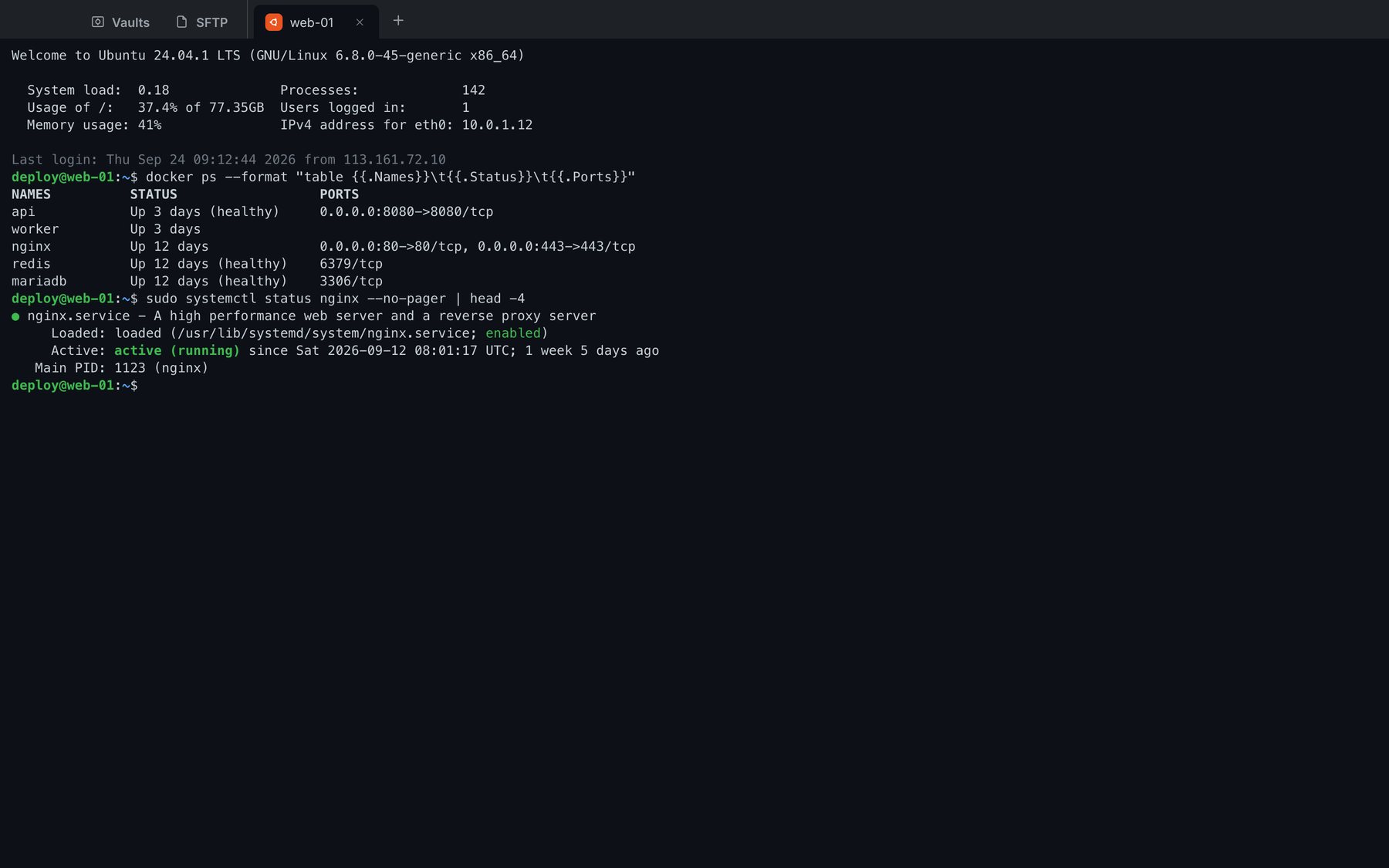
One-click connections, tabs and tab groups, command suggestions right under the cursor, copy on select, a theme per host.
 VNTerm
SSH, Remote Desktop, SFTP and real-time collaboration — on desktop, phone and browser, with everything end-to-end encrypted.
macOS · Windows · Linux · iOS · Android · Web — one account for all of them
deploy@web-01:~$ docker ps --format '{{.Names}}  {{.Status}}'
api        Up 3 days (healthy)
worker     Up 3 days
postgres   Up 12 days
deploy@web-01:~$ git pull && make deploy
Already up to date.
✔ build 18.2s  ✔ migrate  ✔ rollout 3/3
deploy@web-01:~$
Features
One-click connections, tabs and tab groups, command suggestions right under the cursor, copy on select, a theme per host.
Control Windows machines right in a tab — nothing to install or configure on Windows.
Personal and shared vaults; turn each vault on or off, move a host to another vault in one click.
Send a link so teammates can watch or type along in a terminal — and now a Remote Desktop screen too.
MySQL, MariaDB, PostgreSQL, SQLite — directly or through the SSH tunnel of a saved host. Browse tables, views, functions and events; edit data right in the grid; design tables, import / export, save queries. On your phone too.
Drag tabs to split panes, type one command into many machines, pin a terminal or a Windows screen on top of everything.
Remote Desktop New
The same graphics protocol as Microsoft's own app: only what changed is sent, compressed to suit the content, with lower quality on its own when the network is slow.
Remote control New
Every computer has a 12-digit ID. Enter the ID and the password shown on the other computer and you are in control — from a computer, a phone or right in the browser.
Android New
Plug phones in over USB or Wi‑Fi: all their screens show up in a grid, and what you do on one, the whole group does.
Team vault New
Create a vault per team and invite by email. Hosts, keys and snippets in it sync to every member — encrypted with a key only they hold.
Multiplayer
Share a terminal or a Remote Desktop screen with a link. Viewers open it in their browser, nothing to install.
Security
Data is encrypted on your device before it syncs: a leaked copy of the database cannot be read.
Learn about the security architecture →Pricing
No. The Windows machine only needs Remote Desktop turned on (Settings → System → Remote Desktop) and port 3389 reachable. The app picks the fastest display mode the machine supports.
Because your data is encrypted on your device, we can't recover it. Keep the recovery key you received at sign-up somewhere safe — it lets you reset your master password while keeping your vault.
No. The server only receives data encrypted with AES-256-GCM using a key that exists only on your devices.
Pay by card through Stripe or with PayPal, monthly or yearly. Plans are prepaid and never charge you automatically — you get a reminder email before yours ends.
No. Team / Business plans are priced per seat: the buyer chooses the number of seats and every member invited to the team vault uses that plan's features.
SSH runs in the browser (WebAssembly), so encryption, authentication and keys all stay on your side. The relay only forwards the encrypted SSH byte stream. The web version works directly on your synced vault: data is decrypted in the tab's memory and never stored in the browser.
Account data and your encrypted vault are stored in [QUỐC GIA / KHU VỰC ĐẶT MÁY CHỦ]. See the Privacy Policy.
Free. Create an account, add your first host and connect in under a minute.